

Some businesses can’t rely on generic chat solutions. Industries like finance, healthcare, and government manage sensitive data and complex workflows that demand custom chat systems. Building a chat from scratch, however, can be time-consuming, costly, and resource-intensive, requiring skilled developers, secure infrastructure, and ongoing maintenance.
This is exactly why Chat as a Service (CaaS) exists. It gives companies a ready-made, secure, and scalable chat infrastructure they can integrate directly into their apps or internal platforms. With CaaS, businesses can focus on custom features, compliance, and user experience, leaving the heavy lifting of chat technology to the service.
In this guide, we’ll explore what CaaS is, how it works, the benefits it offers, and review some of the most widely used platforms available today. Whether you’re a regulated enterprise, a startup, or a developer, you’ll find practical insights to understand your options and embed chat safely, efficiently, and effectively.
What is Chat as a Service?
Chat as a Service (CaaS) is a cloud-based communication platform that provides developers with APIs and SDKs to integrate real-time messaging functionality into applications. It handles the underlying infrastructure, including message routing, storage, presence detection, notifications, and security, so businesses can embed chat features without building a backend from scratch.
These platforms take care of the technical challenges of chat, such as scalability, synchronization, and multi-platform support. By connecting to a CaaS API, developers can add features like private and group messaging, typing indicators, read receipts, message history, and even voice or video chat. This allows businesses to focus on custom workflows and user experience rather than managing servers or real-time protocols.
In simple terms, Chat as a Service is like a ready-made engine for chat. You control how it looks and works, but the heavy technical work is handled for you.
How chat as a service works
Developers connect their apps to the platform using APIs or SDKs, which handle the technical side of real-time messaging. Features like typing indicators, read receipts, chat history, and presence status work automatically, keeping conversations natural and responsive.
In practice, it looks like this:
- A user sends a message through the app
- The app sends it to the CaaS platform
- The platform delivers it to the recipient
This way, businesses can focus on designing the experience and adding features that matter, while the CaaS platform takes care of delivery, scaling, and reliability.
Do you need chat as a service or a ready-to-use chat app?
Before investing in a custom chat infrastructure or integrating a CaaS platform, it helps to understand what your business actually needs. Use this quick checklist to clarify where you stand.
You likely need Chat as a Service if:
- You must embed chat directly into your own product, app, or platform
- You work in a regulated industry (finance, healthcare, government) with strict compliance requirements
- You need full control over data storage, security policies, or message retention
- Your product requires custom workflows, permissions, or deep system integrations
- You expect high traffic, large user volumes, or real-time communication at scale
A ready-to-use chat app may be enough if:
- Your main goal is internal team communication and collaboration
- You want fast setup without development work
- Built-in features like messaging, tasks, file sharing, and calls cover your needs
- You prefer a predictable cost and minimal technical maintenance
- Your team values simplicity over deep customization
There’s no universal answer. Some businesses start with a ready-made chat tool and later move to CaaS as their product or compliance needs grow. Others use both side by side – CaaS for customer-facing communication and a collaboration app for internal teams.
Main benefits of using chat as service for businesses with specific needs
1. Saves time and reduces development costs
Building a custom chat system from scratch requires significant time, resources, and technical skills. CaaS platforms provide pre-built, fully functional chat infrastructure, allowing developers to integrate APIs or SDKs quickly. This accelerates time to market and frees resources for other priorities, such as improving products or services.
2. Ensures security and compliance
For industries handling sensitive data, security is critical. Many CaaS providers include built-in encryption and compliance certifications (HIPAA, GDPR, PCI DSS), ensuring data is securely transmitted and stored. Businesses can confidently manage sensitive information without building their own security protocols.
Furthermore, robust API security measures are typically integrated to protect the communication channels from unauthorized access and data breaches.
3. Scales effortlessly
CaaS platforms are designed to support thousands or millions of users in real time. They handle infrastructure scaling, uptime, and performance, allowing businesses to focus on delivering great experiences even during traffic surges.
4. Provides advanced features
CaaS platforms often include real-time messaging, typing indicators, read receipts, chat history, presence detection, and voice/video integration. These built-in functionalities help businesses deliver a rich, interactive chat experience without developing them in-house.
5. Integrates smoothly with existing systems
CaaS can connect with CRM, helpdesk, EHR, or other internal systems, enabling seamless workflows and contextual communication.
6. Frees up resources for innovation
By offloading backend maintenance and scaling responsibilities, businesses can focus on innovation – improving user experiences, building custom features, or enhancing services – without being bogged down by technical infrastructure.
Top chat as a service platforms worth knowing
1. Sendbird – enterprise-grade messaging
Sendbird is a powerful platform for adding real-time chat to apps and websites. It provides APIs and SDKs that handle messaging, threads, read receipts, and rich reactions. Developers can also use UI kits and add voice or video features if needed.
Sendbird is widely used in marketplaces, social platforms, healthcare apps, fintech products, and large e-commerce services, where secure, reliable communication is critical. It’s especially popular in industries that need user-to-user messaging at scale, such as buyer–seller chats, patient–provider communication, and in-app customer interactions.
By handling scaling, moderation, and security, Sendbird allows teams to focus on the user experience while relying on enterprise-grade infrastructure. It’s a strong choice for businesses that need customizable chat without building and maintaining complex systems internally.
2. CometChat – all-in-one engagement
CometChat is a text and call app. It offers pre-built UI components and supports popular frameworks like React, Angular, and mobile platforms, helping teams launch faster.
This platform is commonly used in education, online communities, social networks, marketplaces, and customer support applications. EdTech platforms use it for live classes and student discussions, while support teams rely on its quick setup and moderation tools.
CometChat works well for companies that want a ready-to-use communication layer with the flexibility to customize features over time, without heavy backend development.
3. Stream Chat – high-performance custom messaging
Stream Chat focuses on scalable, highly customizable chat experiences. Its APIs and SDKs support threads, reactions, activity feeds, and presence indicators, while maintaining strong performance.
Stream is frequently chosen by social apps, gaming platforms, collaboration tools, and community-driven products where large volumes of real-time interaction are expected. It’s especially popular in products that require high engagement and fast message delivery under heavy load.
Teams that want chat deeply embedded into their product – rather than added as a surface feature – often favor Stream for its balance of speed, flexibility, and control.
4. PubNub – real-time messaging infrastructure
PubNub provides a global real-time messaging network designed for low latency and massive scale. It supports core chat features like presence, message history, and online/offline tracking, along with serverless tools for custom logic.
PubNub is widely used in IoT solutions, large collaboration platforms, logistics systems, live dashboards, and large-scale chat environments. It’s often chosen by teams that need real-time communication beyond traditional chat, such as device messaging or event-driven systems.
Rather than offering a finished chat product, PubNub gives businesses the building blocks to create highly customized real-time experiences on top of reliable infrastructure.
5. Agora – chat with voice and video
Agora began as a real-time voice and video platform and later expanded to include a full Chat SDK. Its main strength is combining messaging with live audio and video in one ecosystem.
Agora is heavily used in telehealth, online education, virtual events, live streaming, and live commerce. Healthcare platforms use it for remote consultations, while learning platforms rely on it for live classes with integrated chat.
For businesses where chat is closely tied to live interaction, Agora offers a strong foundation for building immersive, real-time communication experiences at scale.
Chanty: a ready-to-use chat solution with CaaS-like flexibility
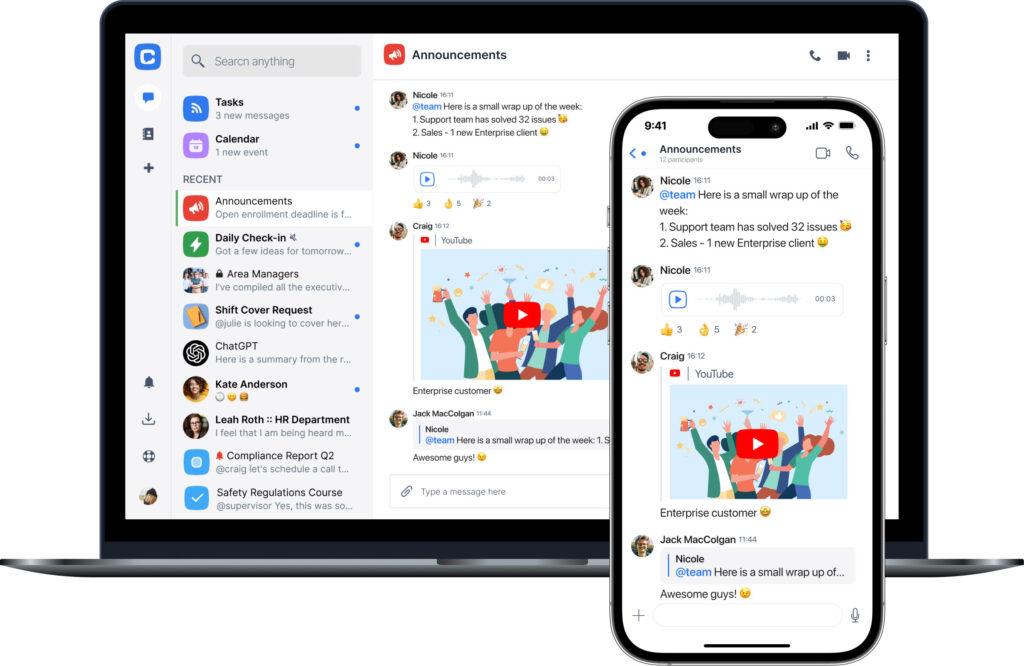
Not every business needs to build a fully custom chat system or integrate a developer-focused Chat as a Service platform. Many teams simply need a reliable, easy-to-use communication tool that goes beyond basic messaging and works out of the box. That’s where Chanty fits in.
Chanty is more than a team chat – it’s a collaboration platform that brings messaging, task management, file sharing, and audio/video calls into one workspace. Teams can organize conversations and work in a single place, without jumping between multiple tools or managing complex technical setups.
While Chanty is not a full Chat as a Service platform, it offers CaaS-like capabilities through its API, allowing businesses to connect Chanty with existing systems and workflows. This makes it a practical middle ground: teams get a secure, stable chat environment with integration options, without the overhead of building or maintaining a custom messaging backend.
For businesses that want fast deployment, structured collaboration, and some level of integration flexibility – especially without heavy development effort – Chanty provides a modern, professional solution. More advanced, developer-driven customization can still be handled by full CaaS platforms when needed, while Chanty supports everyday communication and productivity at scale.
Wrapping up
The right chat solution depends on your team’s needs. Businesses with strict requirements for security and compliance may benefit from full CaaS platforms, while smaller teams often need quick-to-use tools that combine chat with collaboration features.
- Full CaaS platforms like Sendbird or Stream are best for businesses needing customization, compliance, and scalability.
- Ready-to-use apps like Chanty are ideal for teams that want fast deployment, collaboration features, and minimal technical overhead.
Choosing the right tool is about balancing control, customization, and ease of use. Whether it’s a full CaaS platform or an integrated app like Chanty, the goal is the same: keep teams connected, streamline workflows, and make communication effortless.
Ready to see how Chanty can transform your team’s communication? Try Chanty today for free and start collaborating smarter.