

Most of us are almost constantly glued to our smartphones. Messaging feels faster, easier, and more natural than calls or emails. For many, especially younger patients, chat has become the default way to communicate. Scheduling a medical appointment over the phone already feels like a relic of the past – some even joke that avoiding calls has become a mild modern “disease.”
This shift has made HIPAA-compliant chat a vital tool in the healthcare industry. Secure messaging enables care teams to coordinate, consult with colleagues, and respond to patient inquiries promptly, while maintaining the privacy and compliance of sensitive information. It organizes communication and reduces the back-and-forth that can slow down daily workflows.
When messages involve protected health information, speed alone isn’t enough. Medical communication must meet strong privacy and security standards to safeguard patient data and maintain trust. Secure messaging tools are built to balance efficiency with regulatory requirements.
Platforms like Chanty enable structured, HIPAA-compliant team communication, helping healthcare professionals stay connected and patient data protected.
5 essential tools to keep your chat HIPAA-compliant
- Chanty – secure team collaboration for busy clinics
- TigerConnect – enterprise-grade clinical messaging
- OhMD – easy patient communication
- Spruce Health – all-in-one workflow hub
- Klara – patient engagement & automation
Why HIPAA-compliant chat is essential in healthcare
At its core, a HIPAA‑compliant chat is designed to protect patient information at every step of hospital communication. Messages are encrypted both in transit and at rest, access is limited to authorized users, and all activity is logged for accountability.
The platform operates under a Business Associate Agreement (BAA), meaning the vendor shares responsibility for safeguarding protected health information (PHI). In simple terms, HIPAA‑compliant chat ensures that sensitive conversations stay private, controlled, and traceable – giving healthcare professionals peace of mind while they communicate.
The risks of using non‑compliant messaging tools are very real, even when no one intends to make a mistake. Standard SMS or personal messaging apps lack the safeguards required to protect PHI. Messages can be intercepted, read if a device is lost, or accidentally sent to the wrong person – small, everyday actions that can have big consequences.
HIPAA enforcement reflects these risks. The U.S. Department of Health and Human Services Office for Civil Rights (OCR) can impose civil penalties ranging from thousands to millions of dollars based on the severity and repetition of a violation. Organizations may also face corrective action plans and increased oversight to improve compliance.
Many breaches happen not because of negligence but because of everyday communication habits. A nurse sending a quick clinical update via a personal app or a clinician sharing a photo outside secure channels can unintentionally create a HIPAA violation. Reported cases show these situations often lead to retraining, updated protocols, and careful oversight – not punishment, but lessons in protecting patient privacy.
Even small lapses in messaging can expose sensitive data and affect patient trust. HIPAA‑compliant chat helps healthcare teams communicate efficiently while reducing risks, allowing professionals to focus on what matters most – providing quality care with confidence.
HIPAA-compliant chat checklist
Before you send that patient update or lab result, ask yourself (and your chat app) these questions:
- End-to-end encryption
Can only authorized users read your messages? If your chat can be intercepted, it’s a no-go.
- Access controls & authentication
Does the app require a login per user, with role-based permissions? Sharing passwords with your colleague “just this once” won’t cut it.
- Audit logs & activity tracking
Can every message, edit, or deletion be traced? If something goes wrong, you need a digital paper trail.
- Business associate agreement (BAA)
Is your vendor willing to sign a BAA? If not, they aren’t legally on the hook for your patient data.
- Secure storage & data retention
Are messages stored safely, and deleted according to policy? Leaving lab results in an unprotected cloud is asking for trouble.
- Multi-device safety
Does it protect messages if you switch devices or lose your phone? Your chat should survive your coffee spills and clumsy hands.
- User training & policies
Are you and your team trained on proper use? Even the best app can’t save you if everyone texts like it’s WhatsApp.
Top 5 HIPAA-compliant chat apps for healthcare teams
Chanty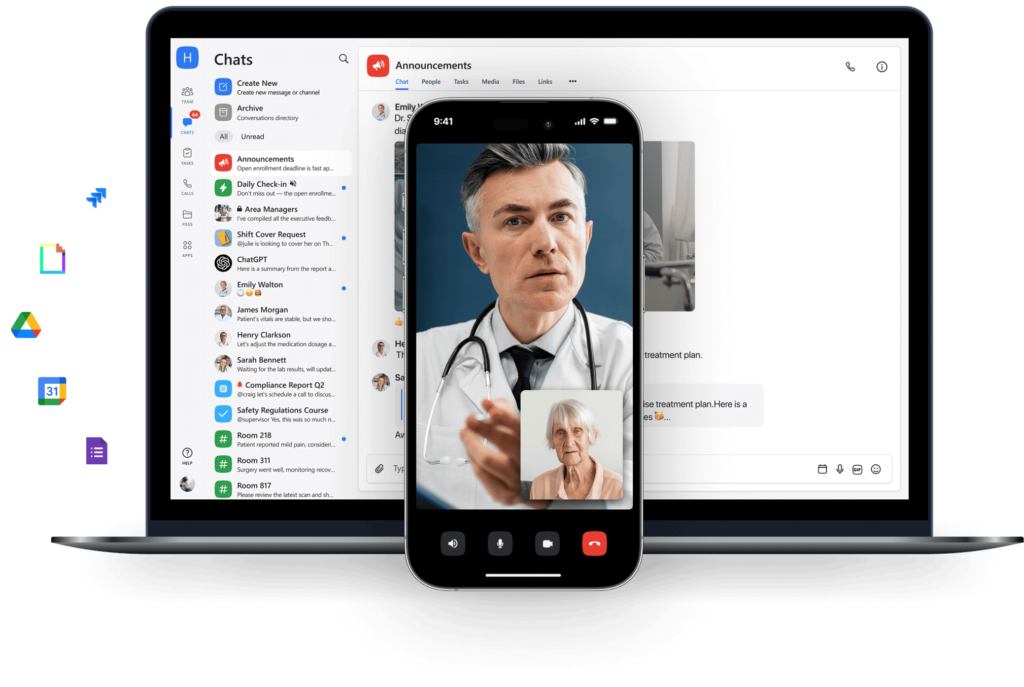 |
Imagine a small clinic where the front desk, nurses, and physicians constantly exchange updates about patient arrivals, lab results, and follow-ups. Before Chanty, messages were scattered between texts, emails, and sticky notes, creating compliance risks and missed handoffs. With Chanty, the team now has encrypted chat, controlled user access, and audit-ready logs, so every message stays private and traceable. Channels for different teams – nurses, lab, billing – keep discussions organized, while built-in task management ensures no follow-up slips through.
HIPAA checklist alignment:
- End-to-end encryption & two-factor authentication
- Role-based access & activity logs
- Secure file sharing & task tracking
- Built-in Calendar for scheduling & reminders
Extra advantage:
Chanty’s Calendar helps schedule appointments, reminders, and team meetings. You can keep it completely private or share it with your team, making it easier to coordinate shifts, follow-ups, and administrative tasks – all without leaving the secure environment. Quick task assignment, pinned messages, and searchable history let teams collaborate efficiently, even during back-to-back patient appointments.
TigerConnect
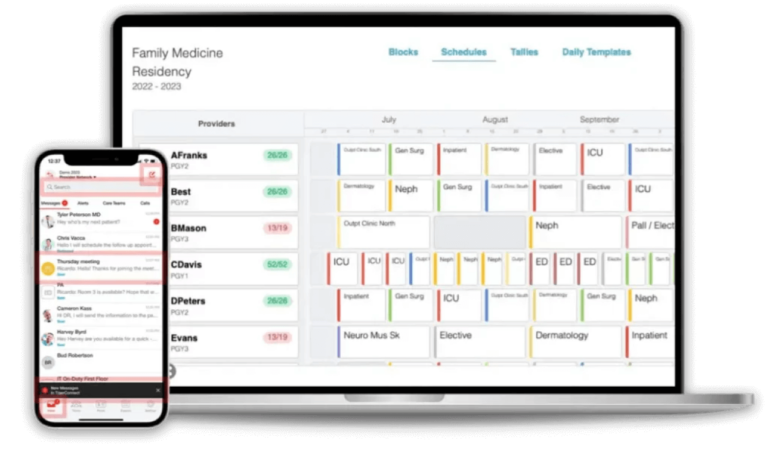
In a large hospital, care teams often juggle multiple departments and urgent patient updates. TigerConnect lets physicians and nurses communicate securely across devices, with encryption, role-based access, and message expiration. The app integrates with EHRs, so patient data flows seamlessly without re-entry errors. Broadcast messages help leadership notify entire units instantly, and delivery confirmation ensures critical alerts aren’t missed.
HIPAA checklist alignment:
- End-to-end encryption & HITRUST certification
- Role-based access & audit logs
- Message expiration & recall
- Group messaging & broadcast alerts
Extra advantage:
TigerConnect supports images, voice memos, and click-to-call directly from the app, while real-time alerts and patient status updates help care teams respond faster, reducing delays in high-pressure environments.
OhMD
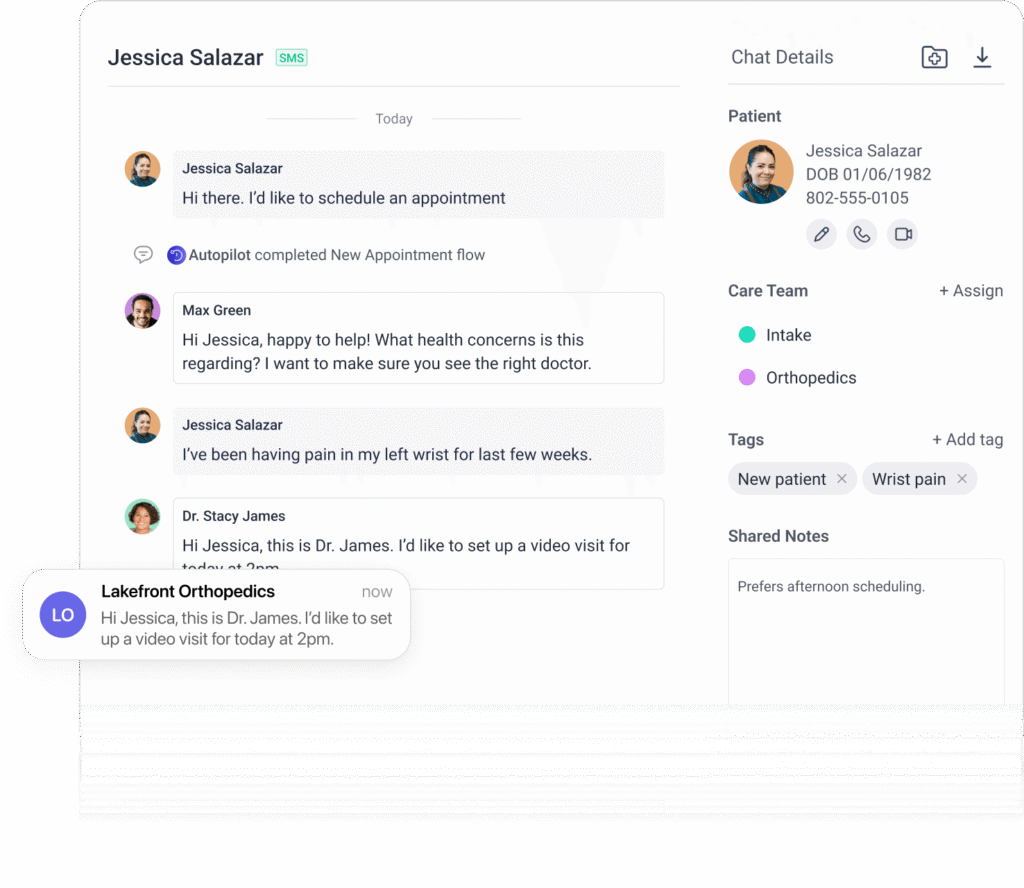
A family clinic struggled with appointment no-shows and patients who preferred texting over phone calls. OhMD allowed the clinic to send HIPAA-compliant messages directly to patients’ phones, including reminders, test results, and follow-ups, without requiring a separate app. Staff could respond securely in real-time, reducing delays and frustration for both patients and staff.
HIPAA checklist alignment:
- End-to-end encryption
- User authentication & access control
- Audit logs & compliance reporting
- Optional EHR integration
Extra advantage:
OhMD includes automated appointment reminders and two-way SMS, so patients stay informed and staff spend less time chasing calls. AI-assisted message routing helps prioritize urgent messages, making it practical for small to midsize practices focused on patient engagement.
Spruce Health
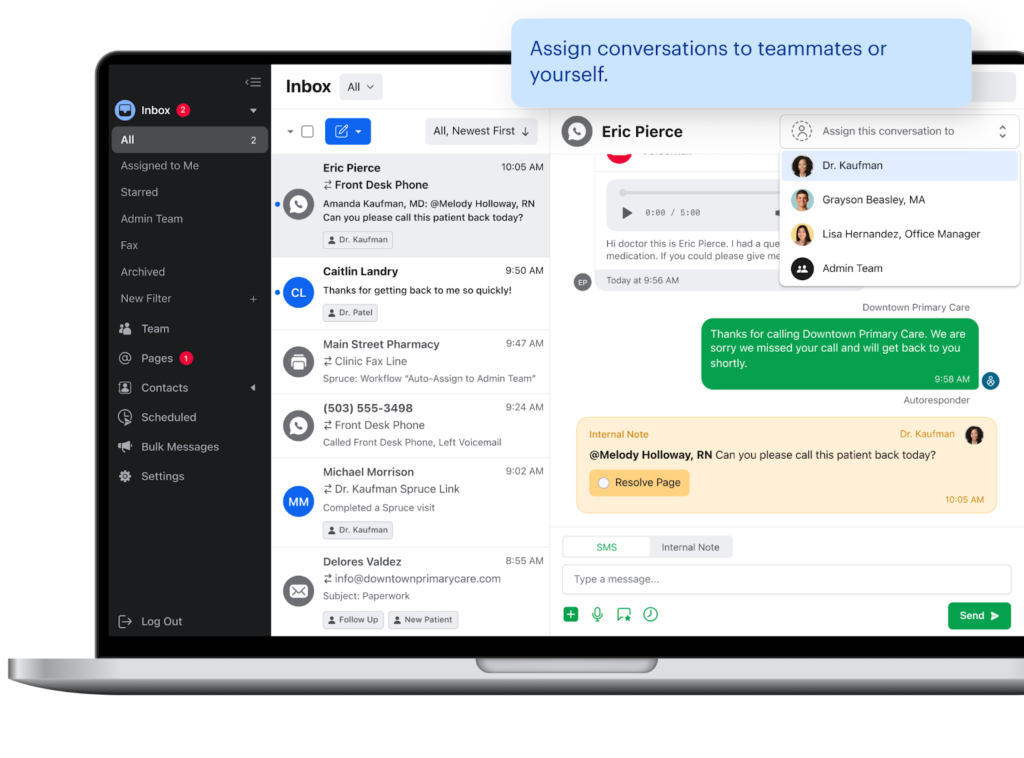
A small multi-provider practice needed a single platform for messaging, telehealth, and document sharing. Spruce Health delivered secure chat, voice/video calls, task management, and e-fax in one app. Clinicians could send PHI securely, consult colleagues instantly, and manage patient inquiries efficiently without juggling multiple tools.
HIPAA checklist alignment:
- Secure messaging & file exchange
- Two-factor authentication & access control
- Audit trails across channels
- Secure internal collaboration
Extra advantage:
Spruce’s integrated voicemail transcription, task assignment, and secure telehealth make it a central hub for patient communication and internal coordination. Teams save time by managing multiple communication channels in one place, reducing workflow friction and ensuring nothing slips through the cracks.
Klara
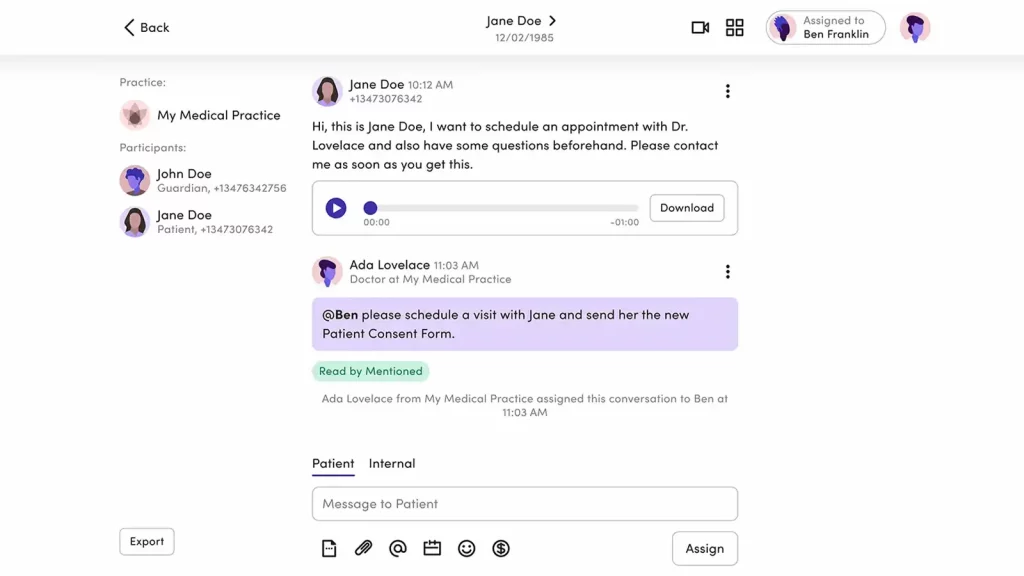
A busy specialty clinic struggled to manage follow-ups and patient messages. Klara centralized all patient communications – reminders, lab updates, and telehealth messages – in a secure inbox. Patients could respond via standard texting, while staff stayed organized in the platform. Automation helped reduce no-shows and freed administrative time for clinical work.
HIPAA checklist alignment:
- Encrypted patient messaging
- Secure access & authentication
- Audit-ready message history
- BAA-supported vendor
Extra advantage:
Klara’s automated workflows and telehealth integration streamline patient engagement. Staff can assign tasks, track responses, and schedule follow-ups without switching tools. It’s particularly useful for clinics needing both secure patient communication and administrative efficiency.
For teams looking to cut repetitive documentation alongside secure messaging, TextExpander offers HIPAA-compliant text expansion that works within your existing tools.
Which HIPAA-compliant chat is right for your team?
| App | Best for | HIPAA checklist highlights | Unique workflow advantages | Pain points solved |
| Chanty | Small clinics, internal teams | End-to-end encryption, 2FA, role-based access, audit logs, secure file sharing, built-in Calendar | Organized team channels, task management, private/shared Calendar for scheduling & reminders | Reduces fragmented communication; keeps internal coordination and task tracking compliant; easier team scheduling |
| TigerConnect | Hospitals, large practices | End-to-end encryption, HITRUST certified, role-based access, audit logs, message expiration/recall | Broadcast messaging, images/voice memos, click-to-call, EHR integration | Streamlines multi-department communication; ensures urgent patient info reaches the right staff quickly; supports large-scale clinical coordination |
| OhMD | Small to midsize clinics, patient outreach | End-to-end encryption, user authentication, audit logs, optional EHR integration | Two-way SMS with patients, automated reminders, AI-assisted message routing | Reduces phone tag; improves patient engagement; minimizes missed appointments; simple for patients who prefer texting |
| Spruce Health | Multi-provider practices | Secure messaging & file exchange, 2FA, access control, audit trails | Messaging, telehealth, secure file sharing, voicemail transcription, task management | Consolidates multiple communication tools; reduces workflow friction; supports internal & patient messaging in one platform |
| Klara | Specialty clinics, patient follow-ups | Encrypted messaging, secure access, audit-ready logs, BAA-supported | Automated patient follow-ups, appointment reminders, telehealth integration | Streamlines patient engagement; reduces administrative workload; ensures secure, consistent communication with patients |
Stay compliant: 5 simple rules every healthcare professional should remember
Communicating securely isn’t just about following rules – it’s about protecting patients, your team, and your peace of mind. Here’s a simple rhyme to help you remember the essentials of HIPAA compliance when messaging:
“Encrypt, Confirm, Assign, Log, Review – safe chats keep trust true.”
- Encrypt: Always use end-to-end encryption to keep patient information private.
- Confirm: Double-check the recipient and access rights before sending any sensitive data.
- Assign: Use role-based permissions and assign tasks within secure platforms.
- Log: Maintain audit trails and records for accountability.
- Review: Periodically review messages, tasks, and system settings to stay compliant.
These five steps make HIPAA compliance easier to follow, even in a hectic clinical environment.
Pro Tip: Don’t rely on standard SMS or general-purpose apps. Test specialized HIPAA-compliant tools like Chanty, TigerConnect, or OhMD to find the one that fits your team’s workflow, habits, and preferences. Using the right platform reduces mistakes, saves time, and ensures patient trust stays intact.
Chanty is a great choice for small to mid-sized healthcare teams – offering secure chat, task management, and a private or shared calendar to keep your team productive and compliant. Start your safe journey today and book a demo.