




Here’s the truth: hardly any ‘chat apps’ are left on the market. Today’s corporate messengers are not just about communication anymore. With businesses seeking to streamline operations and enhance team collaboration, the demand for efficient tools like group communication apps has soared. As business needs have evolved, group chat apps have become powerful collaboration tools.
The chatting apps now mix team chats, audio/video calls, file sharing, and integrations with third-party apps. In practice, they function as complete ‘work hubs’ designed to satisfy all business needs. From startups to large organizations, group chat platforms enable seamless communication and improved workflows, becoming an essential part of modern workplaces.
As a result, both startups and well-established companies use the services of web application companies to get corporate team chat apps tailored to their specific needs and requirements.
Before we dive deeper into the world of team chat apps, here’s a quick sneak peek at some of the best communication tools we’ll be talking about in this article.
- Chanty is a simple team chat with an intuitive and easy-to-use interface and unlimited message history in a free plan. Give it a try if you want to make your team communication simple and effective.
- Brosix IM is an enterprise IM service specializing in team communication solutions.
- Slack is the safe bet for those who are ready to part with a round sum of money for unlimited 2400+ integrations and other popular features.
- Microsoft Teams is a solid, but not the simplest tool on this list. Explore it if you are not afraid of challenges in deployment and team administration.
- Adopt ProofHub if your business team is mainly interested in a project management tool along with a communication app.
- Twist offers a more organized, thread-based messaging system that can be a great fit for teams looking to keep conversations clear and structured.
- Explore Google Chat if you are interested in deep integrations with Google Workplace tools. This recently released team chat tool has many features to come.
- Rocket. Chat is an open-source tool that tech-savvy users may find quite beneficial.
- Flock seems like a well-maid Slack alternative; however, its Freemium version is restricted with a 10K message history limit.
- Ryver is suitable for bigger teams, as it charges per team, not per user. Try it if you like putting Slack and Trello into a single tool.
- Pumble enables you to communicate with your teammates in public or private channels and one-on-one conversations.
- Zoho Cliq is a flexible, feature-rich team communication application that integrates with other Zoho applications. It’s a great option for organizations already using the Zoho suite of tools.
- Mattermost is a robust open-source alternative that’s ideal for teams with specific security or customization requirements. It offers both on-premises and cloud-based deployment options.
- Signal is the go-to choice for teams that value security and privacy. With end-to-end encryption and a commitment to data protection, Signal keeps your messages safe and secure while providing text, voice, and video chat options.
- Discord is a versatile chat tool originally designed for gamers but now widely used by communities and teams. It features customizable servers, voice and video calls, and integrations, making it suitable for dynamic team collaboration.
- Snapchat may not be the most professional option, but it can be an engaging tool for creative teams. Its multimedia sharing and ephemeral content features add a fun, spontaneous element to communication.
- Beeper consolidates multiple messaging apps into one convenient interface. Manage conversations from platforms like iMessage, WhatsApp, and Slack without switching between apps. Ideal for users juggling multiple communication channels.
- Element is an open-source platform built on the Matrix protocol, offering secure, decentralized communication. It’s great for teams that want complete control over their communication infrastructure while maintaining top-tier encryption.
- Wire is designed for business collaboration with a strong emphasis on security. Its end-to-end encryption and professional features make it a reliable option for organizations needing secure, structured communication.
Chatting apps in the business world
Back in 2013, Slack pioneered this approach to chat apps. Today, with more than 10+ million people using it daily, the tool has momentum in the business collaboration world. However, it’s unlikely that Slack will dominate the space forever.
In recent years, many brand new tools have entered the market, offering innovative alternatives to the traditional leaders. This naturally raises the question: what are the best live chat apps for mobile and web-based teams?
At Chanty, we love to explore team chat apps. Learning about different features from our colleagues-slash-competitors helps us improve our app. We have already given comprehensive feedback on the most popular Slack alternatives. Here’s a slightly more extensive review of team communication tools.
We’ll list group chat apps, focus on their standout features, and share our opinion on their pros and cons. Each review contains a ‘Will this tool serve me?’ section to help you choose the best app that aligns with your business needs.
If the freemium plan is all you are looking for, take a closer look at the table we’ve created.
What are the best chat apps?
| App | Best For | Key Features | Ease of Use | Pricing (Overview) |
|---|---|---|---|---|
| Chanty | Teams looking for organized, intuitive communication | Unlimited messaging, video calls, Kanban task manager, integrations with 1500+ apps, voice messages, built-in calendar | Very easy, intuitive | Free plan for 5 users; paid plans start at $3/user/month |
| Brosix | Teams needing a secure, private network | Private team network, file transfer, video/audio calls, fully encrypted, administrable network | User-friendly but more admin control | Essentials 20: $40/month for up to 20 users Essentials 50: $100/month for up to 50 users Enterprise: $6/user/month (flexible per-user pricing) |
| Slack | Teams with complex integrations and large workflows | 2400+ integrations, search functionality, channels, file sharing | Easy, but notification overload | Free tier available; Pro plan: $8.75/user/month (annual); Business+ plan: ~$18/user/month (annual) |
| Microsoft Teams | Teams already using Microsoft Office 365 | Office 365 integration, video calls, file sharing, chat, task management | Moderate, with setup complexity | Free plan available; Essentials at $4/user/month (annual) or $6/user/month (Business Basic annual) |
| ProofHub | Teams needing project management with communication | Task management, discussions, file sharing, real-time updates, multi-team projects | Easy to moderate | Starts at $45/month for 40 users (no user fee) |
| Twist | Teams needing distraction-free, organized communication | Threaded conversations, focus mode, task management, integrations with Google Drive, Trello, Asana | Simple and organized | Free plan; paid plans start at $6/user/month |
| Google Workspace | Teams using Google Workspace apps | Deep integration with Google Drive, Calendar, Meet; messaging with video conferencing | Seamless for Google users | Included in Google Workspace plans, starting at $6/user/month |
| Rocket.Chat | Teams needing a customizable, open-source solution | Open-source, unlimited message history, integrations, real-time translation, customizable UI | Moderate, requires setup | Free for self-hosted, paid plans from $4/user/month |
| Flock | Teams seeking an affordable Slack alternative | Messaging, video calls, file sharing, integrations, search, shared tasks | Simple, somewhat cluttered | Free plan, paid plans start at $4.50/user/month |
| Ryver | Teams combining task management with communication | Built-in Trello-like task manager, messaging, integration with FreeConference for calls | Moderate | Flat-rate: $69/month for up to 12 users; $129/month for up to 30 users; larger teams ~ $4/user/month |
| Pumble | Teams wanting free unlimited message history and storage | Unlimited users, 10GB storage, video calls, DND mode, private/public channels | Very easy, intuitive | Free for unlimited users; paid plans: $2.49/user/month (Pro), $3.99/user/month (Business), $6.99/user/month (Enterprise) |
| Zoho Cliq | Teams using Zoho products for smooth integration | Real-time messaging, threaded conversations, file sharing, integrations with Zoho apps, video calls | Easy to use | Free plan, paid plans from $16/user/month |
| Mattermost | Teams needing high customization and data control | Open-source, integrations, private channels, advanced security, customizations | Moderate to advanced | Free for self-hosted; paid plans from $10/user/month |
| Signal | Teams prioritizing security and privacy | End-to-end encryption, secure text, voice, and video chat, no data tracking | Simple, privacy-focused | Free |
| Discord | Communities and teams needing voice and video chat | Voice channels, video calls, screen sharing, server customization, bot integrations | Easy and intuitive | Free with Nitro upgrades starting at $9.99/month |
| Snapchat | Creative teams needing multimedia sharing | Multimedia messaging, filters, stories, disappearing content | Very easy and engaging | Free |
| Beeper | Users managing multiple messaging apps | All-in-one messaging hub, integrates with iMessage, WhatsApp, Slack, and more | Easy, efficient | Free, has a subscription at $10/month |
| Element | Teams needing secure, decentralized communication | End-to-end encryption, decentralized servers, advanced customization, integration with Matrix protocol | Moderate, tech-savvy | Free with paid hosting options |
| Wire | Businesses requiring high-security collaboration | End-to-end encryption, secure file sharing, group chats, voice and video calls | Moderate, security-focused | Free: up to 5 users, all essentials, 8 devices SMB: ~$8.10/user/month (annual billing) for up to 100 users Enterprise & Partners: Custom pricing for >100 users |
Chanty |
Your team doesn’t have a communication problem. It has a chaos problem.
Messages buried. Tasks forgotten. Three apps just to schedule one meeting. Sound familiar?
Chanty is a workplace chat built for teams who want clarity, not clutter. Conversations are structured into public, private, and one-on-one channels, so the right people always see the right things. With flexible roles and permissions, you stay in full control of who accesses what, keeping sensitive information exactly where it belongs, and out of the hands of those who shouldn’t see it.
And unlike most chat tools, Chanty never limits your message history. Every decision, file, and link your team has ever shared is fully searchable, forever.
Easy communication means more than just sending messages. Jump on voice or video calls without switching apps, send voice messages when typing takes too long, and run polls directly in group channels to align your team and make decisions faster – no more endless back-and-forth threads just to pick a meeting time or agree on a direction.
Create Calendar events with teammates right inside Chanty – no extra tools, no copy-pasting meeting links into chat afterward.
Real collaboration happens when nothing falls through. That’s why Chanty comes with a built-in Task Manager – turn any message into an assigned task in one click, track progress, and keep your team moving without ever leaving the chat.
Connect 1,500+ tools through Zapier and make Chanty your team’s single notification hub – whether you’re in an office, fully remote, or somewhere in between.
Feel free to join our community of Chanty users!
Free for teams up to 5. Paid plans from $3/user/month.
Supported platforms:
iOS, Android, Windows, macOS, and web
‘Is Chanty a good fit for me?’
Perfect for small to mid-sized teams, remote, hybrid, or in-office, who are tired of juggling multiple apps and want one organized, intuitive workspace that handles chat, tasks, calls, and scheduling without the collaboration chaos.
Brosix
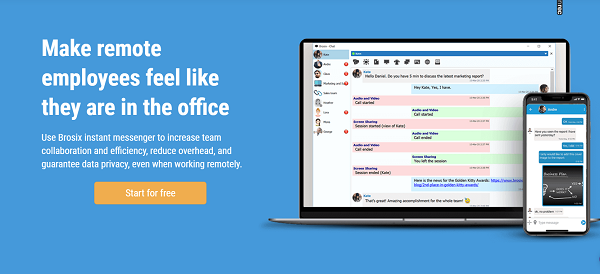
Brosix IM is an enterprise IM service specializing in team communication solutions. While there is a free Brosix app similar to other IM apps, their main focus is on business communication services. This is done through their private team networks that provide organizations with their very own internal network.
These networks come with a range of collaboration features including p2p file transfer, screen sharing, audio and video calls, and persistent chat rooms. The networks are also fully administrable, meaning businesses can control who uses them and how.
Brosix pays special attention to security, with all communication channels fully encrypted. Its user interface will seem familiar to those used to using older instant messengers like AIM.
Supported platforms
Brosix has apps for Windows, Mac, Linux, iOS, Android, and Web.
Is Brosix right for me?
If you’re looking for a private, secure network for your team, then Brosix IM could be a good choice. It allows you to administer your team communication as you see fit, meaning it’s a solid choice for those who are looking for a more hands-on approach.
Slack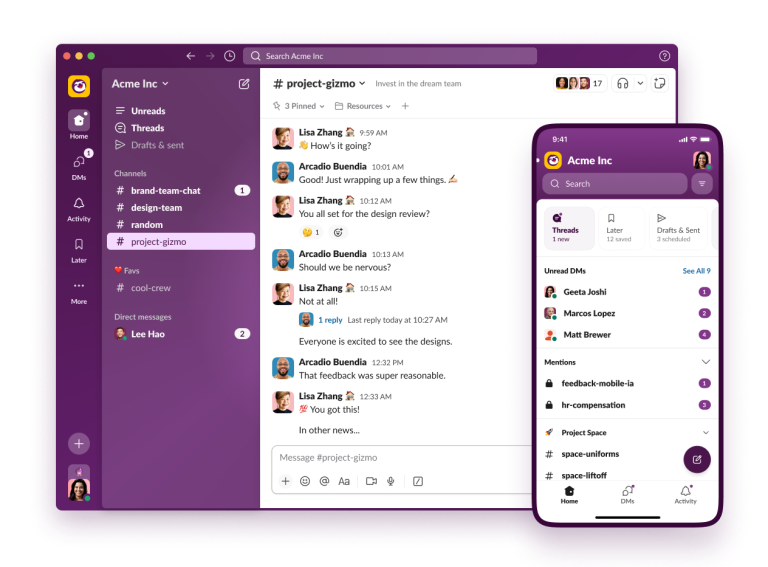 |
Slack, a team chat tool released in 2013, is ahead of the curve when it comes to apps for chat. It’s been often praised for having 2400+ integrations, friendly UX, and a powerful search, making it a contender for the best platform to manage a large online community in professional or enterprise environments..
At the same time, some users describe their interaction with Slack as a love-hate relationship – primarily because notifications are not so easy to handle. In the Freemium version, file storage is limited to 5GB and only recent 90 days of messaging history.
And yes – Slack is pricey, which is pointed out by many of its competitors. However, Slack keeps growing – in 2018 it acquired a couple of major competitors – Atlassian Stride and HipChat.
Slack for Teams has 3 plans as well as Slack Enterprise Grid available on request:
Supported platforms:
iOS, Android, Windows, macOS, Linux, and web
‘Is Slack a good fit for me?’
Best for larger teams or tech companies already embedded in a rich app ecosystem, who need 2,400+ integrations and can justify the price tag. Not ideal if notification overload or budget constraints are real concerns.
Microsoft Teams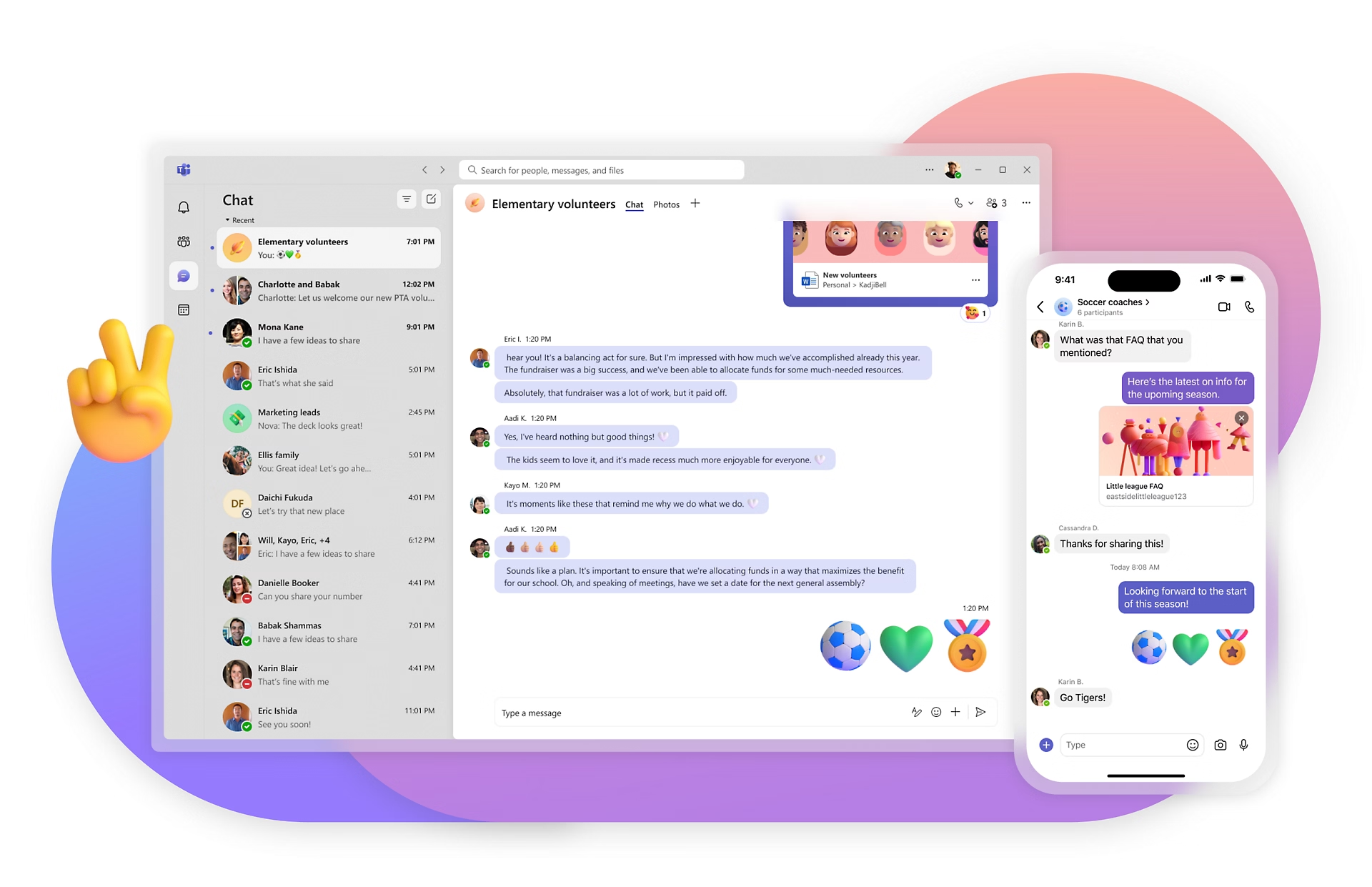 |
Microsoft was one of the first tech giants to see great potential in the internal communication apps niche. In 2010 it designed Lync, then – Skype for Business. Later, in November 2016, the chat-based workspace Microsoft Teams officially launched. After releasing the Freemium version, the tool strengthened positions in the pursuits to dethrone Slack. Of course, Microsoft Teams has deep integrations with Office 365 tools. E.g. you can share any Office or OneDrive document – access it and edit it with your team without leaving the app. However, Microsoft Teams is not easy to deploy and manage, which we described in-depth by sharing our experience while comparing the tool to Slack
Supported platforms:
iOS, Android, Windows, macOS, and web
‘Is Microsoft Teams a good fit for me?’
The natural choice if your company already pays for Microsoft Office 365. Skip it if you’re starting fresh – the setup complexity and admin overhead aren’t worth it unless you’re already living in the Microsoft ecosystem.
ProofHub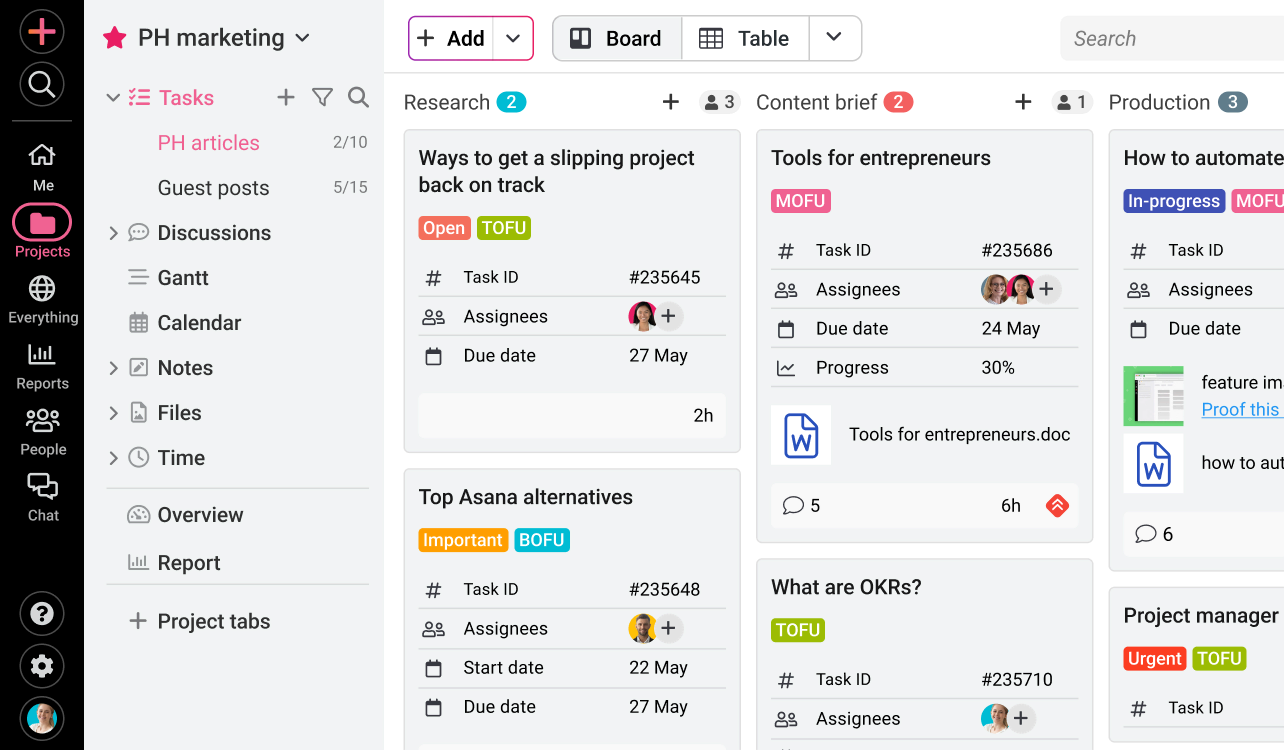 |
An all-in-one team collaboration and project management tool, ProofHub fulfills the needs of modern-day teams that are looking for a solution to manage projects and collaborate with clients and colleagues in one place. ProofHub has been designed for teams to discuss ideas, assign tasks, plan projects, set timelines and milestones, track progress, manage issues, and do much more.
It replaces email, instant messaging, calls, file storage tools, and multiple other productivity apps with just one tool to accomplish all your tasks effortlessly. With its advanced features, it enables users to manage the entire life-cycle of the project using a single online application. This powerful tool is everything you need for on-time delivery of projects and happy clients.
The main features and benefits of ProofHub are Real-time updates, status on projects, interactive discussion threads, private proofing and comments, Asana import into ProofHub, and multi-team project management.
Supported Platforms
iOS, Android, and Web
‘Is ProofHub a good fit for me?’
Ideal for project-driven teams, agencies, consultancies, construction, who need task management and communication in one place and don’t want to pay per user as the team scales.
Twist
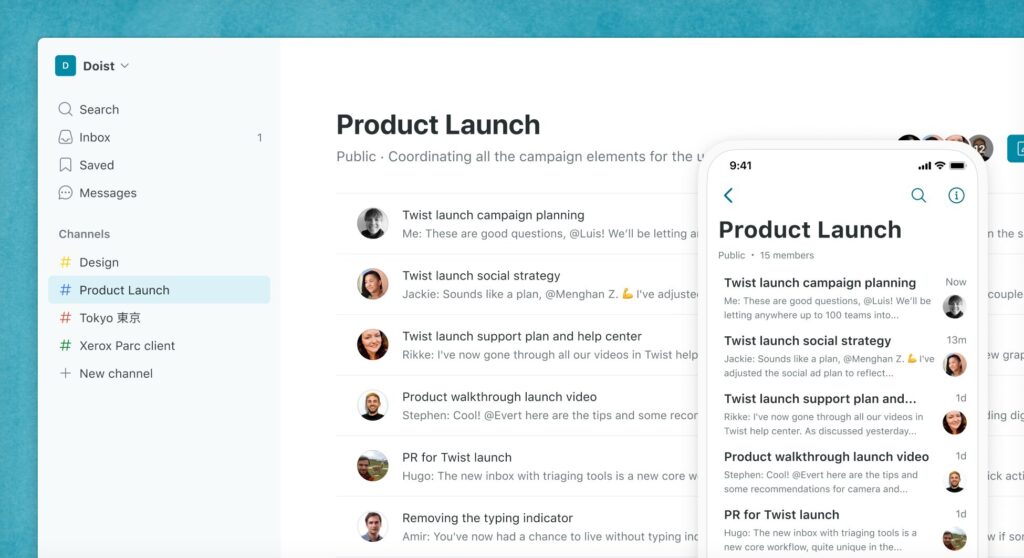
Twist takes a different approach to group chat, focusing on clarity and organization. Designed for teams that want to reduce distractions, Twist is all about threaded conversations that help keep discussions focused and easy to follow.
With Twist, you can organize your chats into channels and threads based on specific topics or projects. This structure helps ensure that each discussion is easy to find later, eliminating the chaos of endlessly scrolling through a single chat window. Plus, Twist’s integrations with other tools like Google Drive, Trello, and Asana make it an ideal app for project-centric teams.
The app also prioritizes a quiet, focused environment with features like Do Not Disturb mode and customizable notifications, giving teams more control over their communication flow.
Twist offers a free plan with up to 5,000 messages stored, and paid plans start at $5 per user per month.
Supported platforms
iOS, Android, Windows, macOS, and web.
‘Is Twist a good fit for me?’
A great fit for async-first teams, especially remote ones across time zones, who find Slack’s real-time noise exhausting and want structured, thread-based discussions they can actually follow days later.
Google Workspace
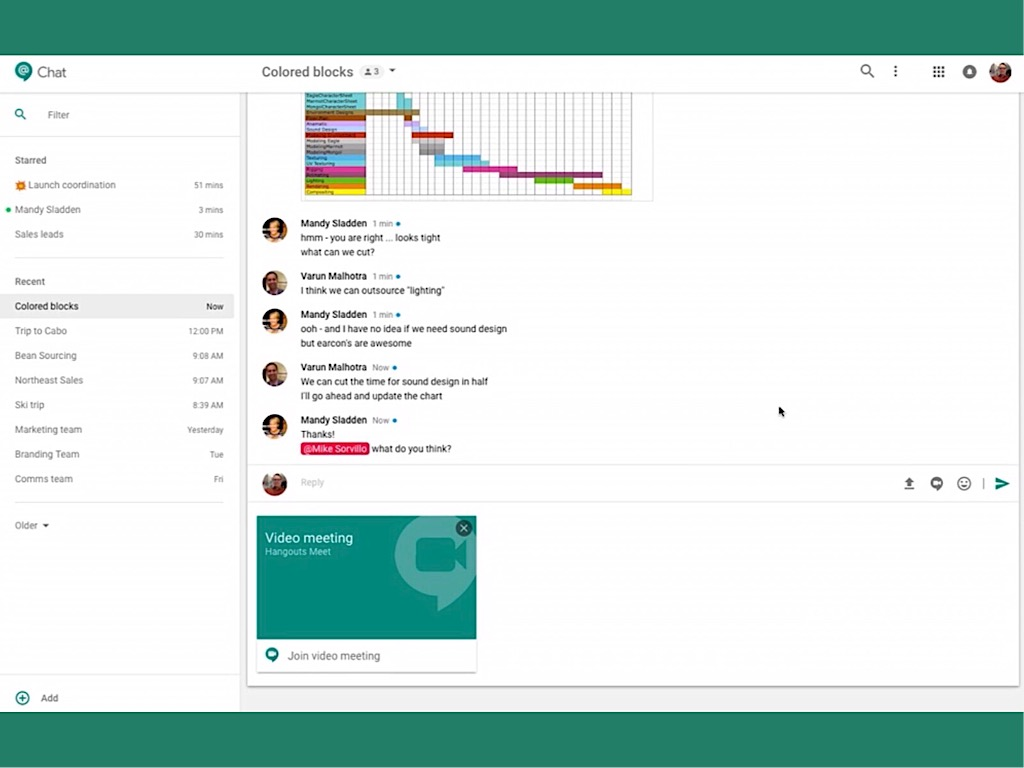
Here’s Google’s take on creating a world-class chat app. Google Chat and Meet were made publically available in February 2018. It comes in Google Workplace subscription plans – so expect no Freemium version. The app has deep integrations with Google Workplace tools, such as Calendar and Drive. Online meetings are available via Google Meet. The multiple languages support works well for multinational teams.
Having been released just recently, the tool is constantly adding new features. Since August, Google Chat has added notification snoozing features and some emoji reactions.
They also offer an Enterprise plan which offers: Custom and secure business email + eDiscovery, retention, S/MIME encryption, 500 participant video meetings + recording, attendance tracking, noise cancellation, in-domain live streaming, and unlimited storage.
Supported platforms:
iOS, Android, macOS, and web
‘Is Google Workplace a good fit for me?’
The obvious pick if your team already lives in Google Docs, Drive, and Calendar. Less compelling if you’re not already in that ecosystem, as a standalone it lacks the depth of dedicated chat tools.
RocketChat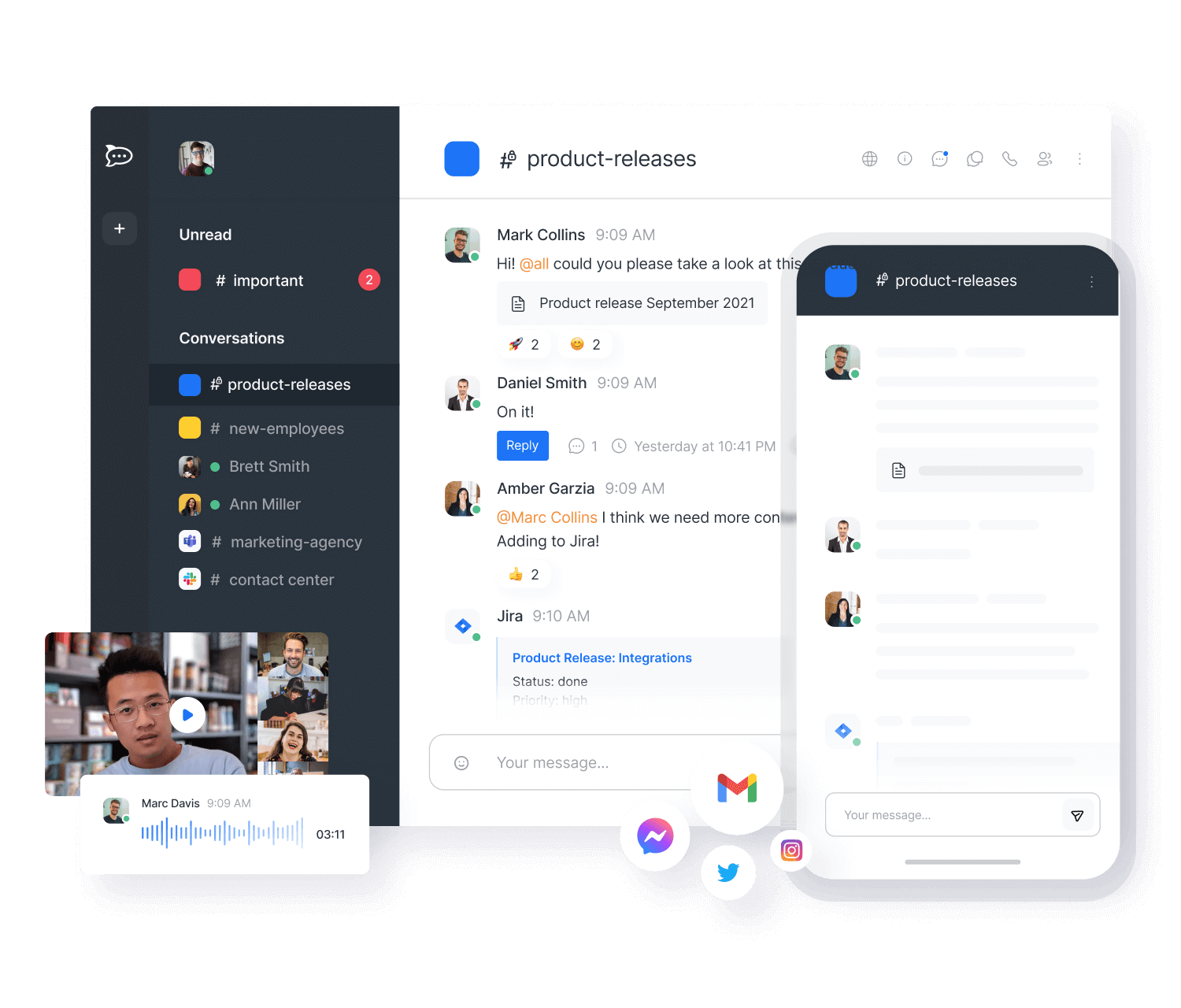 |
Rocket.Chat is a Brazil-based tool released in 2015. Unlike Slack, this is an open-source app, which means you can customize, extend, or add new functionalities to the tool according to your needs.
Also, Rocket.Chat has a generous Freemium tier for those who choose a self-hosted version: the unlimited search history and dozens of integrations including Zapier. Customizable UI and threading add up to its list of features. The tool also has an automatic real-time message translation feature which might be convenient for co-workers and partners who speak different languages.
However, as some reviews suggest, the tool is not great for technologically challenged users.
Supported platforms:
iOS, Android, Windows, macOS and Linux
‘Is Rocket.Chat a good fit for me?’
Built for tech-savvy teams that want open-source flexibility and full control over their data. Avoid it if your team isn’t comfortable with self-hosting and ongoing technical maintenance.
Flock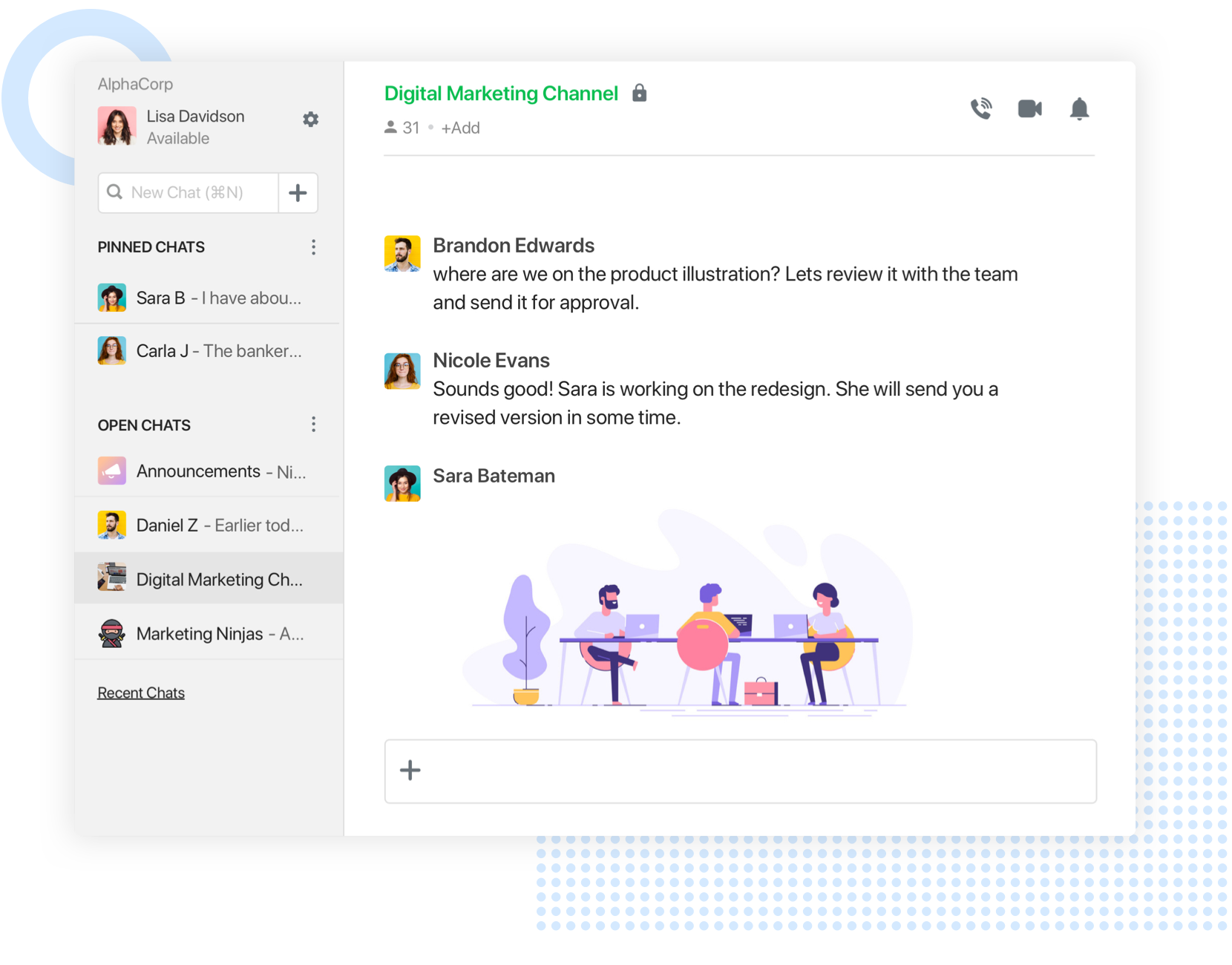 |
Let’s move away from Brazil – right to Indian Mumbai, where Flock is based. The tool clearly positions as a Slack alternative, trying to dethrone a red-hot player and surpass Microsoft Teams. In the comparison reviews, the lower price is mentioned as an advantage of Flock over Slack. Indeed, Flock’s most affordable paid version is $2 cheaper than Slack. However, Flock’s Freemium plan has the same drawback – 10K message history limit.
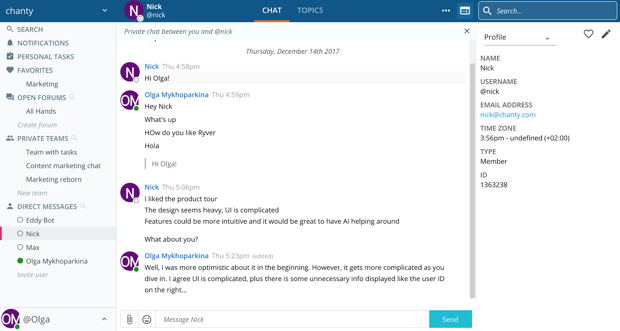
When our team tested Flock, we noticed the tool has high-quality video calls, but its interface is rather overloaded.
Supported platforms:
iOS, Android, macOS, Linux and web
‘Is Flock a good fit for me?’
Worth trying for budget-conscious teams looking for a Slack alternative with solid video call quality. Test it personally first – the interface can feel cluttered depending on your team’s workflow.
Ryver
In conclusion, let’s move to the US-based apps. Ryver launched in 2015 to ‘solve the world’s email problem’ and replace ‘the outdated way many teams collaborate’. Two years later the tool came up with its top feature – the built-in Trello-like task manager. As for a native solution for calls, Ryver doesn’t provide it, at least, yet.
The audio and video conferencing is available via integration with the FreeConference app. Since 2018 Ryver is not a free tool anymore. As Ryver CEO Pat Sullivan explained, the company started charging its users because the app became ‘mission-critical for most customers’. Unlike many (I would even say most) group chat apps, it charges for a team – not per user.
Supported platforms:
iOS, Android, macOS, and web
‘Is Ryver a good fit for me?’
The smart pick for larger teams tired of paying per user. If you like the idea of combining Slack-style chat with a Trello-style task board under a flat monthly fee, Ryver is worth a serious look.
Pumble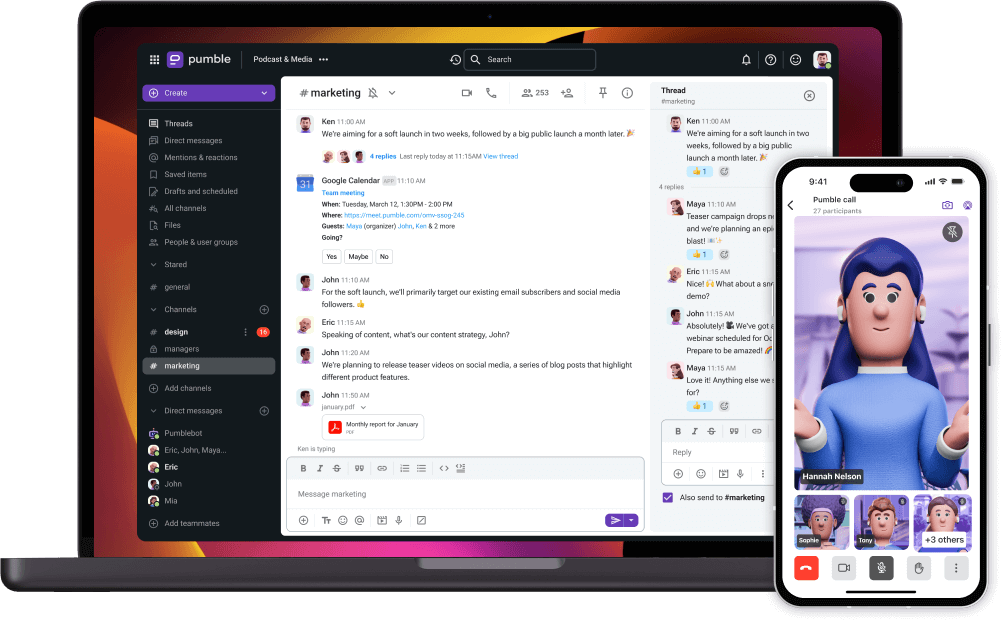 |
Pumble is a free business messaging platform for team communication and collaboration.
Pumble enables you to communicate with your teammates in public or private channels, as well as in one-on-one conversations.
What distinguishes Pumble from other apps, among other things, are free unlimited users and chat history. You don’t have to worry about storage either – Pumble offers you 10GB of free storage space per workspace.
If you need peace to focus on your work, you can easily set DND mode, and you won’t receive notifications in the time slot you choose.
Not everything can be solved with an email or a message on your business messaging platform –sometimes, video calls are the best solution. Pumble’s video call feature lets you share your screen with your teammates, thereby improving your workflow and productivity.
Supported platforms:
Windows, macOS, Linux, Android, iOS, Web
‘Is Pumble a good fit for me?’
Best for bootstrapped startups or growing teams on a tight budget who refuse to compromise on unlimited message history and user count. A strong free tier that most competitors can’t match.
Zoho Cliq
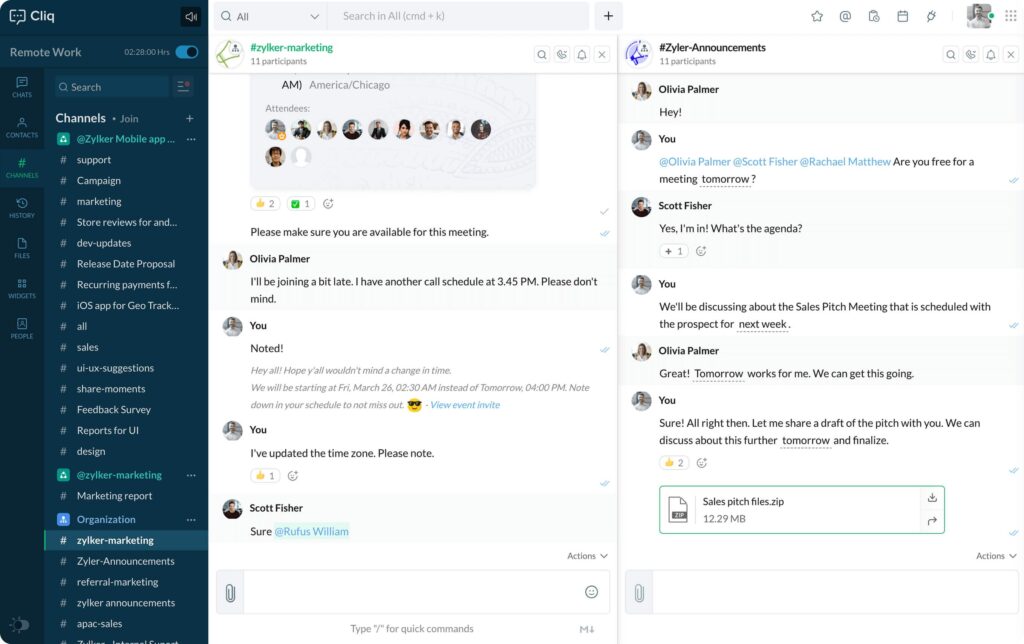
Zoho Cliq is a powerful group communication app designed to bring teams together with a flexible and feature-rich messaging platform. Whether you’re a small startup or a growing business, Zoho Cliq offers seamless integration with other Zoho applications, making it an excellent choice for companies already using the Zoho suite.
The app offers real-time messaging with threaded conversations, direct messaging, and the ability to create public and private channels. File sharing, audio, and video calling are all built into the platform, helping to ensure smooth communication across teams. Zoho Cliq also supports third-party integrations, so you can connect it to your favorite tools such as Google Drive, Trello, and Slack.
A standout feature of Zoho Cliq is its ability to support customizable workflows with bots and automation tools, streamlining routine tasks and improving productivity.
Zoho Cliq offers a free plan for teams of up to 10 users, while paid plans start at $3 per user per month.
Supported platforms:
iOS, Android, Windows, macOS, and web.
‘Is Zoho Cliq a good fit for me?’
The obvious fit if your company already runs on Zoho CRM, Projects, or Desk. The deep cross-app integration makes it far more powerful for existing Zoho users than for teams starting from scratch.
Mattermost
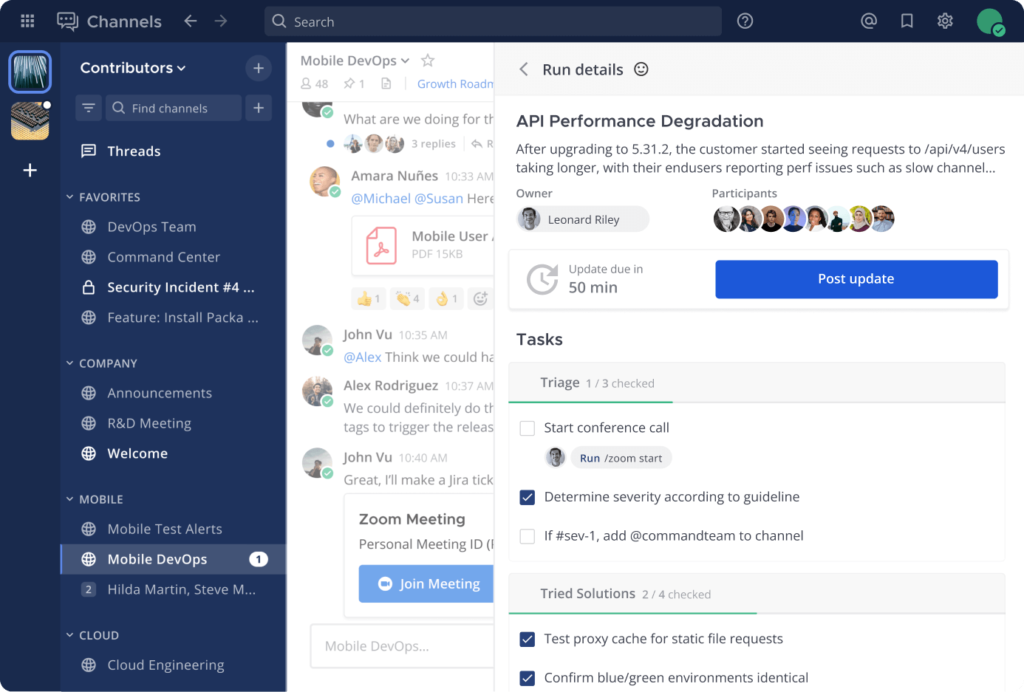
Designed for teams with specific security or customization requirements, Mattermost is a group chat software that is both open source and customizable for different users. It is suitable for people who want full control over their data and infrastructure, as it offers cloud and on-premises deployments.
The platform combines real-time messaging, support for private channels, file sharing and integrations, making it a great platform for team collaboration. It also offers security through features such as end-to-end encryption and other features that provide an enterprise level of security. Having said that, the platform is very flexible, allowing a wide range of customizations to be made to the application to suit the needs of the organization.
For two years now, teams have been free to build, deploy, and manage Mattermost in their own data centers, as the messaging platform is open source. This feature is particularly useful for organizations that have specific compliance or security issues and prefer to have total control over all of their employees’ messaging.
Mattermost offers a free tier with limited functionality and a paid tier starting at $10 per user per month.
Supported platforms
iOS, Android, Windows, macOS, Linux and web.
‘Is Mattermost a good fit for me?’
Made for enterprise teams in regulated industries: government, healthcare, finance – that need on-premises deployment, advanced security controls, and full data sovereignty. Overkill for most small teams.
Signal
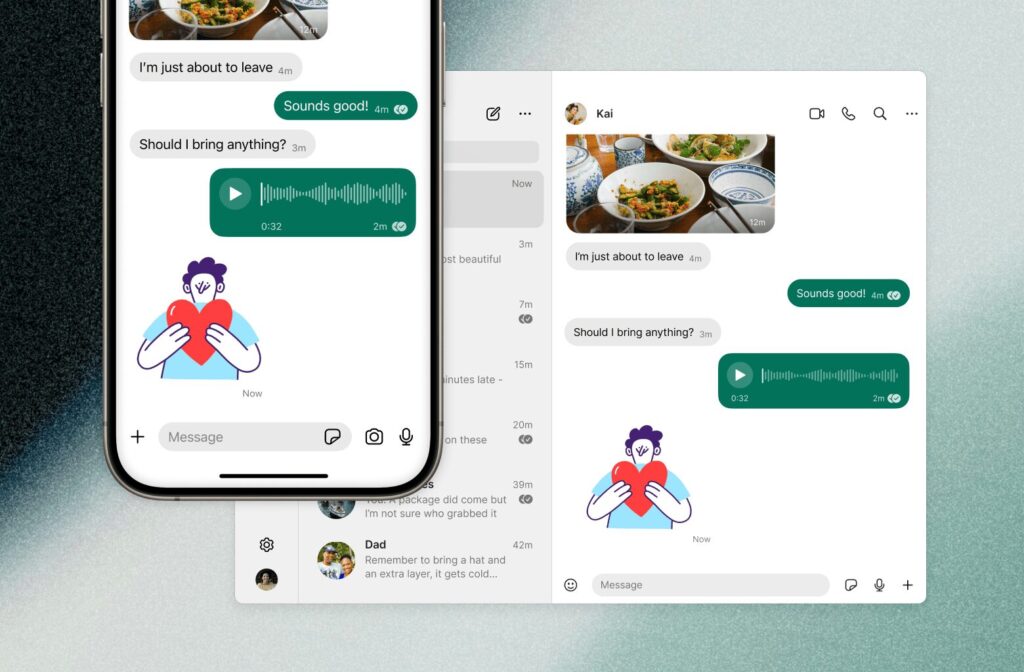
Signal is a privacy-focused messaging app known for its end-to-end encryption, ensuring that only the sender and receiver can read the messages. It offers text messaging, voice, and video calls, along with group chats and multimedia sharing. Signal’s focus on privacy extends to all communications, and it does not collect user data or track usage. The app’s open-source nature means it is regularly reviewed for security vulnerabilities, giving users confidence that their communications remain private.
Supported platforms
Signal is available on iOS, Android, Windows, macOS, and Linux.
Is Signal right for me?
The right call for teams handling genuinely sensitive communications: legal, journalism, healthcare – where privacy is non-negotiable. Too minimal for teams that need rich collaboration features.
Discord

Discord started as a messaging platform for gamers but has quickly become a go-to tool for various types of online communities and businesses. It offers a rich set of features, including text, voice, and video chat, along with customizable servers and channels for organizing communication. Discord also supports bots and third-party integrations, making it highly adaptable to the needs of teams. Additionally, it features real-time collaboration tools like screen sharing and file transfers, making it a solid choice for both casual and professional interactions.
Supported platforms
Discord is available on Windows, macOS, Linux, iOS, Android, and Web.
Is Discord right for me?
Surprisingly effective for creative teams, developer communities, or startups that want a flexible, channel-based workspace with strong voice features. Less suited to formal or compliance-heavy environments. You can learn more about Discord pricing plans here.
Snapchat
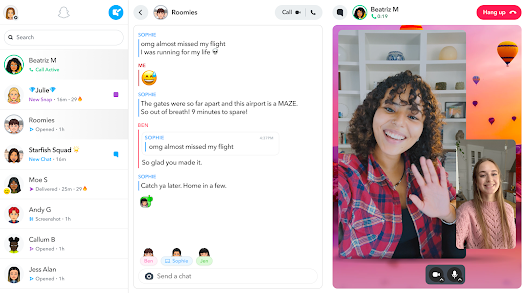
Snapchat is primarily known for its ephemeral content, allowing users to send messages, photos, and videos that disappear after viewing. It also features interactive filters, lenses, and creative tools for sharing media. While not traditionally used for team collaboration, Snapchat can be a fun and informal tool for quick, real-time communication, especially for teams working in creative fields. The app’s Stories feature allows for sharing temporary updates and ideas, which can be ideal for creative brainstorming sessions.
Supported platforms
Snapchat is available on iOS and Android.
Is Snapchat right for me?
Best reserved for marketing or social media teams that already use it to engage audiences. Not a serious workplace communication tool – but can add a fun, informal layer for creative brainstorming.
Beeper
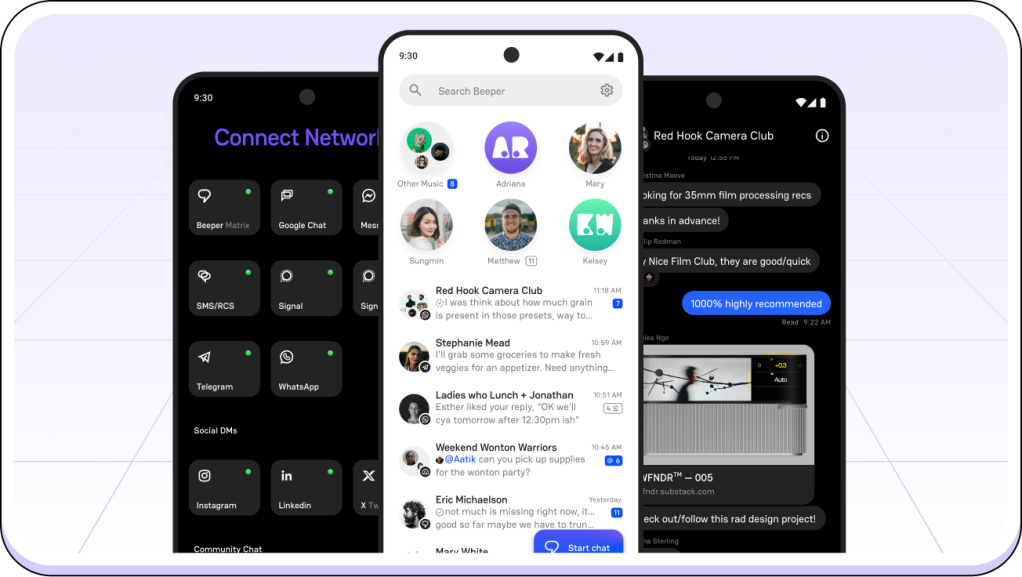
Beeper aims to simplify team communication by consolidating a wide variety of messaging platforms into one app. It integrates with services like iMessage, WhatsApp, and Slack, allowing you to manage multiple communication channels from a single interface. Beeper also supports text, voice, and video communication, along with file sharing. Its unique approach is ideal for users who want the convenience of using various messaging services without needing to switch between different apps.
Supported platforms
Beeper is available on Windows, macOS, iOS, and Android.
Is Beeper right for me?
The perfect fix for individuals or teams already spread across iMessage, WhatsApp, Slack, and others, who want one inbox instead of five. Less useful if your team already uses a single primary platform.
Element
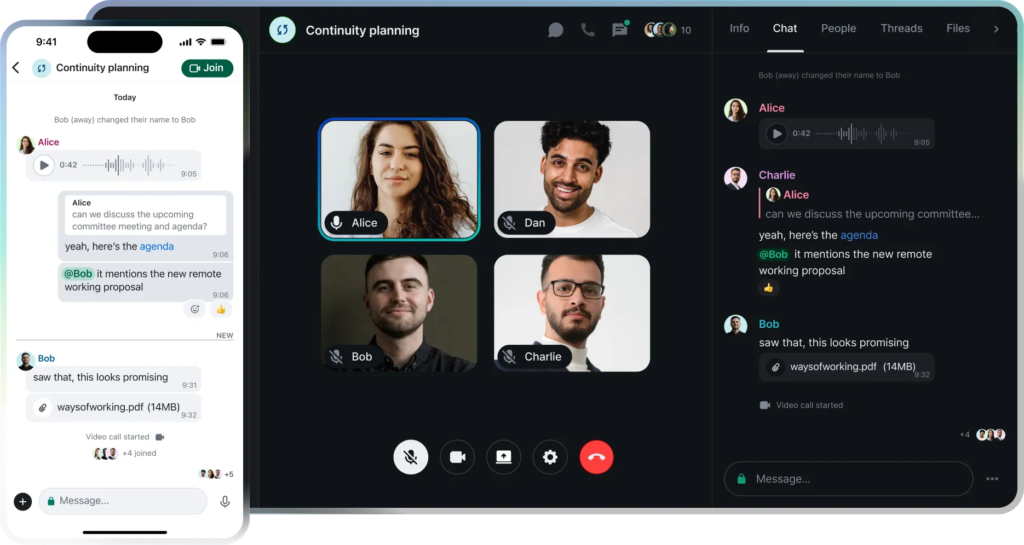
Element is an open-source messaging platform built on the Matrix protocol, offering decentralized and secure communication. It supports encrypted messaging, file sharing, and group chats, and can be self-hosted for full control over your data. Element offers integrations with various apps and tools, making it a versatile choice for teams that need to maintain control over their communication infrastructure. Its decentralized nature ensures that you can communicate securely without relying on a central server, enhancing privacy and security.
Supported platforms
Element is available on Windows, macOS, Linux, iOS, Android, and Web.
Is Element right for me?
Ideal for privacy-first, tech-forward organizations that want decentralized, self-hosted communication with no dependence on a central provider. Requires technical comfort to set up and maintain.
Wire
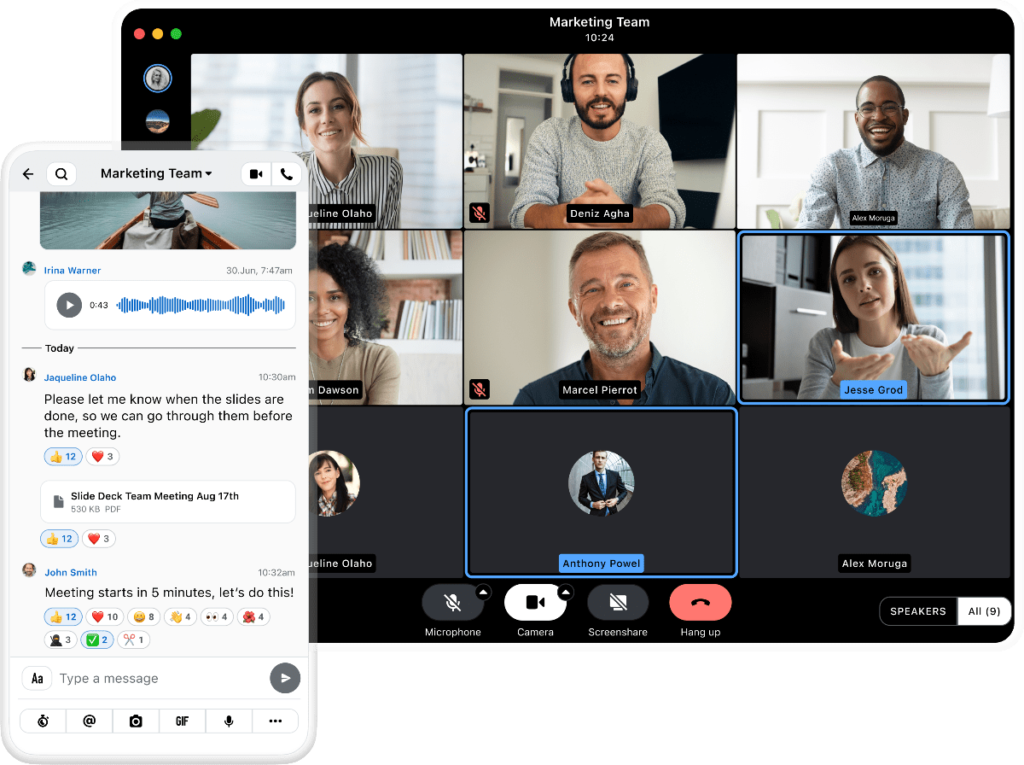
Wire is a secure messaging platform designed for teams and businesses that require strong encryption. It offers text, voice, and video communication, with an emphasis on collaboration through file sharing, group chats, and task management. Wire’s end-to-end encryption ensures that all communication is private, and its clean, user-friendly interface makes it easy for teams to communicate effectively. Wire also provides tools for both real-time collaboration and structured communication, making it a comprehensive tool for business use.
Supported platforms
Wire is available on Windows, macOS, Linux, iOS, Android, and Web.
Is Wire right for me?
A strong choice for businesses that want end-to-end encrypted collaboration without sacrificing usability. Sits between Signal’s minimalism and Slack’s complexity – secure but still practical for daily team use.
How to pick the right team chat app
With so many options out there, choosing the right group chat app can feel overwhelming. The right tool should do more than just send messages – it should fit how your team actually works, grow with you, and make everyone’s day a little less chaotic.
Start here: What is your team situation?
| Your situation | Best fit |
| Want to replace 3 apps with one | Chanty |
| Small team, tight budget | Chanty or Pumble |
| Deep in Microsoft 365 | Microsoft Teams |
| Deep in Google Workspace | Google Chat |
| Already running on Zoho products | Zoho Cliq |
| Async team spread across time zones | Twist |
| Privacy-critical industry – legal, healthcare, finance | Signal, Wire, Mattermost |
| Tech team wanting open-source and full data control | Rocket.Chat, Element, Mattermost |
| Security-conscious, need a private administered network | Brosix |
| Large team with complex workflows and budget to match | Slack |
| Team scattered across WhatsApp, iMessage, Slack, and more | Beeper |
| Creative, community-driven, or developer team | Discord |
| Marketing or social media team needing informal quick sharing | Snapchat |
Still deciding? Run through this checklist:
- Know what you actually need. List the three biggest communication frustrations your team has right now. The right app solves those – not just adds more features to ignore.
- Demand simplicity. If it needs a training session to get started, it’s already losing. The best tools feel obvious from day one.
- Check your integrations. Your new chat app should slot into your existing workflow: project management, file storage, CRM – not force you to rebuild it around the tool.
- Think long-term. Can it scale as your team grows? Switching tools a year from now is expensive and disruptive. Pick something with room to grow.
- Go beyond chat. File sharing, task assignment, threaded conversations, searchable history – these aren’t nice-to-haves anymore. They’re what separate a real collaboration tool from a glorified group text.
- Don’t compromise on security. Look for end-to-end encryption, role-based access controls, and privacy compliance. Especially if your team handles sensitive client or business data.
- Match the price to the value. Free plans are great for getting started, but check what’s actually locked behind a paywall. Sometimes paying $3/user/month unlocks everything you need – sometimes the free tier is genuinely enough.
- Make sure it works on every device. Your team isn’t always at a desk. The app should work just as well on a phone in transit as on a laptop in the office.
- Use the free trial properly. Don’t just click around alone – run a real week of work through it with your team. Use it for actual meetings, tasks, and decisions. You’ll know fast whether it fits.
- Let your team have a say. Narrow it down to two options and let the people who’ll use it daily cast a vote. Buy-in from the start means faster adoption and fewer complaints later.
The best app isn’t the one with the longest feature list. It’s the one your team opens without thinking twice.
Did we help you pick the best chat app?
It’s no surprise that communication needs have skyrocketed since the pandemic. Group communication has moved from a nice-to-have to the backbone of workplace collaboration — and the tools supporting it have evolved just as fast, offering everything from simple messaging to full productivity hubs designed to keep teams aligned and efficient.
Picking the right one isn’t always easy. Many tools overlap in features, pricing, and promise. But as you’ve seen from this list, there’s no shortage of strong options – whether your team needs a clean, simple interface or a powerful group communications application loaded with integrations.
One thing is certain: these tools are only getting better. Smarter automation, stronger data security, and deeper compatibility with the tools teams already use – the next generation of group chat apps is shaping up to be even more powerful. Investing in the right one now means your team is already ahead.
Did we miss your favorite tool? Let us know in the comments – we read every one and update this list regularly to make sure it stays the most useful resource for your team’s communication needs.









Add comment